Pantheon release notes

Your destination for staying informed about our latest innovations and product updates.
Subscribe to RSS feed

P1
November 6, 2026

This release makes editing across Workstreams clearer, improves Block behavior and navigation, and fixes setup and dashboard issues.

P1 repository and dashboard (https://content.pantheon.io), P1 clients (p1-next-sdk 0.26.0, css-client 0.26.0, puck-css 0.26.0)

Editor improvements

  • Open Live drafts from any Workstream: A page created on Live but not yet published can now be opened from another Workstream. The editor shows Live’s draft with a clear banner. Nothing is saved to the Workstream until you make the first edit; that edit creates the Workstream’s own version.
  • Clear sign-in authorization feedback: If you sign in with an account that is not authorized for a Site, the editor now displays a “Not authorized” screen and offers the option to sign in with a different account.
  • History stays up to date: The History panel refreshes the version list each time it opens while keeping the current list visible during the refresh.

Block Library improvements

Links, forms, cards, and controls now behave as expected across the blog, card, integrations, marketplace, team, event, webinar, and footer Blocks, as well as the documentation shell.

  • Link fields use their configured destinations instead of defaulting to #, and whole Block cards link to their page.
  • Block forms submit to their configured action URL.
  • Search, filtering, pagination, and navigation controls work across the updated Blocks.
  • Embeds and replay videos render from a source field.
  • In the component library, controls that are unavailable in preview now explain why.

Starter-kit and dashboard fixes

  • More reliable setup with npm and yarn: Scaffolding with the P1 Block Library no longer fails dependency installation with ERESOLVE. If installation still fails, the final message explains that Block registration was skipped and provides the commands to complete it.
  • Page Settings title saves correctly: Changes to a page title now persist to the correct page setting.
November 2, 2026

This release improves the P1 editor experience, speeds up page listings on larger sites, makes localization easier to adopt in existing projects, and strengthens MCP request handling.

Released: P1 Collaborative Content Repository (CCR), P1 Dashboard (https://content.pantheon.io), P1 clients (p1-next-sdk 0.25.0, css-client 0.25.0, puck-css 0.25.0 p1-media: 0.5.2)

Editor improvements

  • Clearer state after page deletion: When the page open in the editor is deleted, the canvas now clears and displays a “This page was deleted” message with a way back to the site. Publish is disabled for the deleted page.
  • Faster page creation: The new-page dialog opens with focus in the Page title field, so you can start typing immediately.
  • Consistent editor appearance: Editor controls, popovers, and toasts keep the light theme when the host site uses a dark theme.
  • More reliable focus mode: Pressing Esc exits focus mode after the canvas reloads, but does not exit while a canvas menu or dialog is open.
  • Faster page listings: Page lists load more efficiently on large sites, including when filtering by path.
  • Site thumbnail: P1 site thumbnails can now be manually updated in the dashboard.
  • Clearer localization language: Site Structure now uses “locale” instead of “market.”

Localization and starter-kit updates

  • Localization support provided out-of-the-box by the starter kit: The starter kit now scaffolds a site with localization support ready to use, including default path for localized url, no more need to build localization in your project.
  • Move an existing project to localized pages: The P1 Next.js SDK migration command now supports named migrations. To enable localized pages in an existing starter project, run:

The editor-layout migration is available as migrate editor-layout.

  • Clearer starter configuration guidance: The starter kit’s .env.example now explains when to leave P1_SITE_URL unset.

MCP security and request handling

  • MCP requests are handled statelessly and use the token supplied with each request.
  • MCP tokens, authorization headers, and session IDs are no longer written to logs.
  • MCP tokens cannot access API-key management or account-management routes.
October 21, 2026

This release brings a way to "unpublish" content, in other words, to take pages offline, more control over localized content URLs, clearer dashboard experience for Business Account and better editorial experiences as well as hardening across P1 APIs, Workstreams, permissions, and authentication.

New features and improvements

Unpublish: take pages down from Live without deleting them

P1 can now take a published page offline while keeping its content as an editable draft. Editors can publish the page again when it is ready, and the unpublish event remains visible in page history with the actor and timestamp. The capability is available in the editor, public API, and MCP tools, with the same permission checks across each surface.

Unpublishing can include child pages, translated child pages, or only the specific child pages selected by the editor. Each page can also have its own redirect target while it is offline.

The editor can optionally send visitors to another page while an unpublished page is offline. The Site Structure also identifies pages that are currently down with a view-only draft tag.

More predictable localization

Sites can now control how newly created translations are named and routed: in a locale folder such as /fr-fr/slug, or beside the Source page such as /pricing.fr-FR. The default route being now  /{locale}/slug . Existing translation paths remain unchanged when the setting changes.

Translation creation through the API and MCP now respects the locales a site publishes. Agents can see the published locale list and offer only supported choices, while existing translations remain unaffected if a site later stops publishing a locale.

Clearer editor and Business Account experiences

  • Canvas edit and delete controls now align with the approved interaction design across desktop, tablet, mobile, and dark mode.
  • Locked blocks now respect Member permissions in the editor, and template writes are protected consistently across REST, realtime, MCP, and agent paths.
  • The open Visual Editor refreshes its Workstream list when another user creates a Workstream.
  • Workstream terminology is now used consistently in chatbot responses and dashboard notifications.
  • Long Workstream names no longer hide the Review/Publish control.
  • Version History date headers and editor rail tooltips now layer correctly while scrolling.
  • Content Publisher add-on slug edits no longer show the P1 dashboard redirect prompt.
  • Agent edits now show the registered agent’s name and appropriate agent styling instead of always appearing as Zappy.
  • The editor no longer remounts the canvas when the AI chat feature flag resolves.
  • Organization members can be assigned the Viewer role, and backend site roles now consistently map to Admin, Member, and Viewer.
  • Business Account setup now returns users to the dashboard after naming their account, and account search matches owner email addresses.

Component library and starter-kit improvements

  • Installed P1 blocks can be registered automatically from their registry metadata instead of requiring manual import and category edits.
  • The starter kit now respects the package manager used to invoke it and avoids silently selecting an incompatible scaffolder version on supported Node releases.

Fixes, security, and reliability

Safer cross-site and cross-Workstream authorization

P1 now tightens authorization and resource scoping across Workstreams, Structures, merge requests, merge previews, and published-content tokens. Requests cannot use identifiers from another Site to read or change structures, merge requests, merge targets, or Workstream data.

Additional platform work migrated the CCR router to Hono, consolidated domain boundaries around core entities, and fixed merge-job claim handling after create collisions.

Creating or moving a page onto a redirect source path no longer leaves the new page silently shadowed by the redirect.

Stronger authentication and Business Account isolation

  • Broker login redemption is being protected against redeeming a transaction approved by a different user.
  • MCP authorization now requires explicit user consent and stronger PKCE handling before returning an authorization code to a client.
  • Agent presence access now checks both Business Account membership and whether the requested agent belongs to that account.
  • Dependency vulnerabilities identified in pantheon-content-cloud were remediated across the tracked package updates.

Publishing, realtime, and operational fixes

  • Realtime sync no longer persists an empty snapshot as a document version unless the user explicitly cleared the document.
  • Dashboard toasts no longer sit underneath the Zendesk support widget.
  • Slow CCR database statements are now logged at useful thresholds without logging statement text or customer content.
  • Retired feature-flag code paths, configuration, and tests were removed after replacement behavior was confirmed.
  • The monitor dashboard now provides a view of monitor status and Site health.

Internal validation and enablement

  • Auth0 authentication coverage was added through NextAuth validation.
  • The Collaboration System design and prototype spike was completed.
October 9, 2026

Pantheon's new product, P1, is now in Beta. P1 is Pantheon's AI-native web composition layer. It brings AI-assisted building, direct page editing, reusable components, and governed collaboration into one workflow—so teams can move faster without giving up standards, review, or control.

What's included in the Beta

The P1 Beta provides a foundation for teams that want to modernize how they create and manage web experiences.

  • Visual, component-based page building with reusable components and templates.
  • AI-assisted building and direct editing for marketers, editors, developers, and agents.
  • Protected workstreams that let teams work in parallel while keeping the live site safe.
  • Review, merge, publish, and revert workflows so teams can see what changed and approve consequential updates before they go live.
  • Media management for the assets used in web experiences.
  • A modern Next.js and React foundation that works alongside existing Pantheon workflows and connected systems.

P1 extends the systems and investments teams already rely on. It adds a creation and governance path without replacing existing WordPress, Drupal, or Next.js experiences.

Built for speed and control

P1 gives people and AI a shared environment to create, review, and evolve web experiences. Developers can establish reusable building blocks and guardrails, while marketers and editors can assemble and update pages directly within those standards.

Workstreams make parallel work visible and attributable. Teams can develop an initiative, review the proposed changes, compare them with the live experience, and merge approved work through a controlled path to production.

Beta access

P1 Beta access is limited and subject to review. The Beta is for organizations ready to work closely with Pantheon, launch a real website, and provide feedback as the product continues to mature.

What to expect during the Beta

P1 is usable for production implementations, but some capabilities, workflows, documentation, and implementation patterns may change during the Beta. Participants work closely with the P1 team and help shape improvements to the product and the implementation experience.

P1 Beta is an early step toward a broader release. Pantheon keeps adding capabilities and refining the experience based on customer feedback and real-world use.

Start building with P1

Visit p1.pantheon.io to learn more and request access. Use the P1 documentation when you are ready to explore the product. Read a blog post from Pantheon co-founder Josh Koenig on why Pantheon built P1.

September 10, 2026

This release brings localization to the front end of P1, plus Business Accounts to manage who can access your sites, a safer publish flow for Workstream changes, and improved redirect management.

New features and improvements

Introducing localization for P1 sites: In previous releases, we established the foundation for multi-language and multi-geo content behind the scenes, in our content repository. This update exposes most of these features to P1 interfaces (user interfaces and MCP): you can now set which locales your site supports and localize your content both from your AI assistant or from the Visual Editor and you can implement your own localization strategy.

  • Configure your site's locales: Site Settings now includes a Locales section where you can set your source language, add or remove target markets or geos
  • Localize your content within its entire lifecycle (and not just at the beginning): P1 offers a unique approach that lets you customize any localized content yet keep a relation with the original locale to follow its change and keep the translation and localization up to date with.
  • Navigate localization status easily: The Site Structure now shows the number of locales in which a page might have been translated to, so you can identify gaps without opening every page. A new locale selector helps you filter the site structure to a specific language.

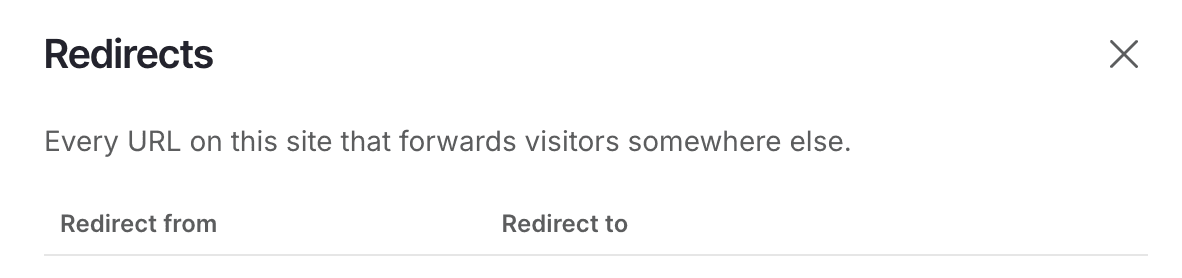
Redirect management updates: Redirect UI has been updated with feature fixes, making it easier to manage page redirects from the dashboard. Find it from your site's Site Structure page — open the redirects drawer to view, edit, or delete redirects, with a clearer layout and a new empty state for sites with none yet. Redirects are now also created automatically when you change a page's location or slug, so links keep working without an extra manual step.

Introducing Business Accounts

Add members to your Business Account to control who can view and work on the P1 sites and Content Publisher collections that belong to it. Every site — and every user and agent working on it — now belongs to a Business Account, rather than being managed one-by-one.

Use the account switcher in the P1 dashboard to move between every Business Account you're a member of; each one shows only its own sites, users, and agents. Admins add, remove, and manage member and agent roles from an interface scoped to their account; members work within the sites they've been given access to, without seeing account-wide management controls.

A safer publish flow for Workstreams

Site structure changes made in the dashboard in a Workstream — creating, moving, updating, or deleting pages, including slug and location changes — now stay pending in the Workstream until you explicitly publish. Live is no longer affected until you're ready.

  • Every pending change shows its status (New, Moved, Updated, Deleted) right in the Workstream, so you can review exactly what a publish will apply before you commit to it.
  • To move a page to a new parent or location, use the Location field in the page's edit modal. Drag-and-drop reordering has been removed from the page tree — it could silently do nothing or move a page unexpectedly, since sibling order is derived automatically rather than stored.
  • Moving a page moves its entire subtree with it, so nested pages never get left behind.
  • Changes made directly on Live still publish immediately, as before — this change is specific to Workstreams.

Fixes and refinements

Editor fixes:

  • Fixed P1 sign-in and welcome screens being unreadable on dark-themed host sites.
  • Visiting a nonexistent page in the editor now offers to create it, instead of silently doing nothing. If you don't see this behavior, make sure you're running the latest SDK.

Workstreams and publishing:

  • Fixed ?branch=main being incorrectly classified as a non-main branch, which had denied reads.
  • Fixed list blocks showing no content on published pages when built on a specific page template.
  • The MCP agent now consistently says "workstream" instead of "branch," matching the dashboard.

SDK and starter kit:

  • New starter-kit scaffolds no longer fail to install due to unresolved workspace dependencies.
  • Published npm packages no longer ship dead sourcemaps, removing noisy warnings on a fresh project's first test run.
  • DataListBlock's built-in Cards/Listing/Rows components no longer require your site's Tailwind build to scan this package's files to render correctly.
September 1, 2026

This release fixes several stability and usability issues across the editor and dashboard — logout now fully ends your session, content sync and page-switching are more reliable, and cleaning up a handful of UI annoyances. The page-reparenting workflow also moves from drag-and-drop to a dedicated modal for more intentional moves.

Logging out now actually signs you out. Previously, clicking "Log out" only cleared your local session — the next time you signed in, you were silently signed back in as the same person, with no login prompt. Logout now properly ends your session, so signing in again asks you to authenticate.

Fixed: reconnecting after a dropped connection may restore old content. If your connection dropped right after someone else merged changes, reconnecting could occasionally cause content that the merge was supposed to remove to resurface. Reconnecting now always picks up the current, correct version.

Fixed: switching between pages or branches no longer blanks the editor. The canvas used to go empty for a moment while the next page loaded; it now stays on the current page's content until the new one is ready.

Toast notifications are no longer hidden behind support chat. Previously, warning and success messages in the bottom-right corner would get blocked by the Zendesk support widget, making them impossible to dismiss. Notifications now display above the support chat so you can always see and act on them.

Page reparenting moved to a dedicated modal. Instead of using drag-and-drop to move pages around in the tree, reparenting now happens through a clear, focused edit modal. This makes the operation more intentional and prevents accidental moves.

Site role options now stay in sync. Site roles in the dashboard now pull directly from your CRR environment's allowed-roles endpoint, ensuring the available roles to assign are always up to date and consistent with your actual setup.

Fixed: deleting a page now deletes only in the right environment. Page deletion is now correctly scoped — deleting from your Live workstream no longer affects other workstreams, and vice versa.

CSS API key now displays in the setup modal. When you generate a token for p1, the API key now appears correctly in the confirmation modal so you can copy it right away.

August 18, 2026

This release brings a set of improvements to the P1 dashboard and editing experience — new tools for managing redirects and archiving sites, a simpler setup flow, and a refreshed, more consistent interface.

New features and improvements

Manage page redirects from the dashboard: You can now create and manage page redirects directly in the dashboard, so you can keep links working when content moves — without leaving P1.

P1 dashboard Redirects drawer listing redirect sources and destinations

Archive and restore sites: Archive sites you're no longer actively working on to keep your workspace focused, and restore them at any time. Your content, settings, and tokens are preserved.

Simpler site setup: The Pantheon site ID is now optional when creating a site in the P1 dashboard, so you can get started faster and connect a Pantheon site later.

Additional page management: The site structure page allows you to move pages to nest within a section or page. We’ve also added a new view of a page's JSON, available by selecting a page from the site structure listing.

A refreshed, more consistent dashboard: We've updated the dashboard to the latest Pantheon Design System — cleaner tables, cards, empty states, links, and dialogs across the app — and restored the classic P1 logo.

Fixes and refinements

  • "Open editor" links now resolve correctly, fixing a case where an extra slash could break the link.
  • Your default space is selected automatically again when you open the dashboard.
  • More accurate Sync tab, so changes between environments are reflected reliably.
  • Improved account picker when connecting a document.
  • Spacing and contrast polish across settings tables and dialogs.
August 18, 2026

Published pages are now cached: P1 published pages are served from cache instead of being rendered on every request — faster loads and dramatically lower database load under traffic.

⚠️ Action required: update to 0.11.0 and redeploy each renderer (caching applies only after redeploy). See breaking-change note above for custom renderers.

Images lazy-load by default: Images in primitive and custom blocks now lazy-load, improving initial page load. Applies to existing content automatically after you update.

⚠️ Action required: set Loading = "Eager" on above-the-fold images (hero, first row) so they don't defer and hurt Largest Contentful Paint.

Fixes

  • New projects scaffold cleanly from the starter kit. (Re-scaffold projects generated with an earlier version.)
  • Block selection is cleared when you open a different page (no stale selection carried over).