September 30, 2026
Pantheon is renaming machine tokens to personal access tokens (PATs) and adding stronger security controls with automatic expiration.
What’s changed
- Time-bound credentials: New PATs expire 90 days after creation, reducing the risk of credentials that remain valid indefinitely.
What hasn’t changed
- Continue using the same Terminus flow and commands for authentication, listing, and deleting tokens.
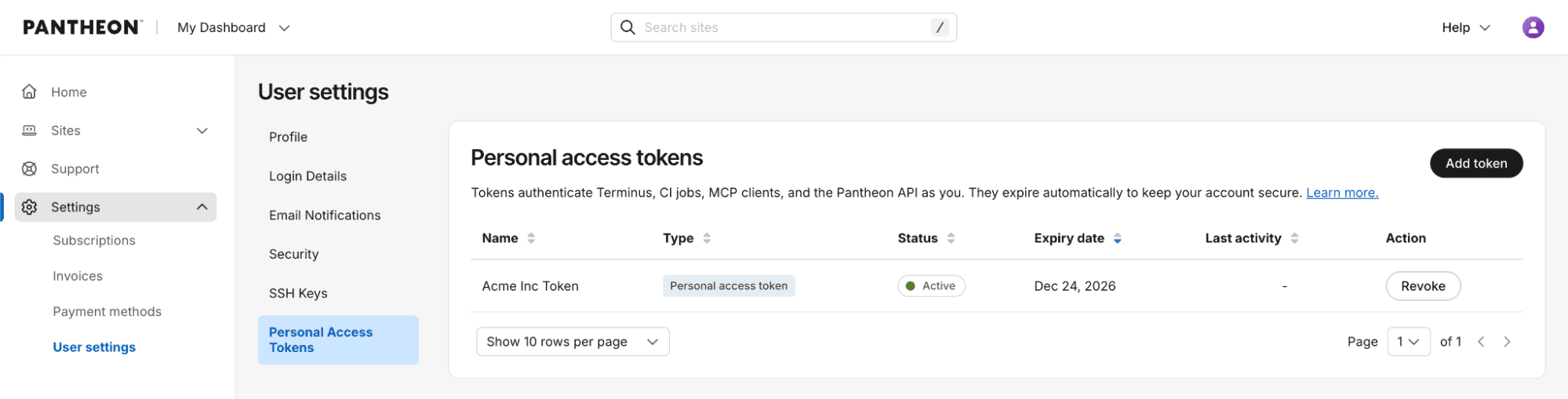
- Continue to create and revoke tokens in the dashboard under your User settings.
What this means for legacy machine tokens
Existing machine tokens continue to work and are not changed by this release. No immediate action is required. Machine tokens are now considered a legacy authentication method, so we recommend using personal access tokens for new integrations and workflows.
If you adopt a PAT, plan to renew it every 90 days and update the corresponding secret wherever the token is used.
Get started
Create a new personal access token from User settings → Personal Access Tokens, copy it once, store it securely, and use it with your existing Terminus authentication workflow.
For more details, see related documentation.
