Pantheon release notes

Your destination for staying informed about our latest innovations and product updates.
Subscribe to RSS feed
Deprecated
February 28, 2025

Editorial note: The date for when this change will occur was originally published as March 1, 2025 but has since been updated to March 3, 2025.


To improve API security, New Relic will retire legacy REST API keys on March 3, 2025. These keys are used to access REST API v2 endpoints. To continue to utilize these endpoints, you will need to generate a new API Key. You can read more about this end-of-life in this Forum post.

How to check if you're affected

Not all accounts use REST API keys. To check if you need to take action:

  1. In New Relic, click on your profile icon (bottom left) and select API Keys.
  2. Click REST API Key on the right side of the page.

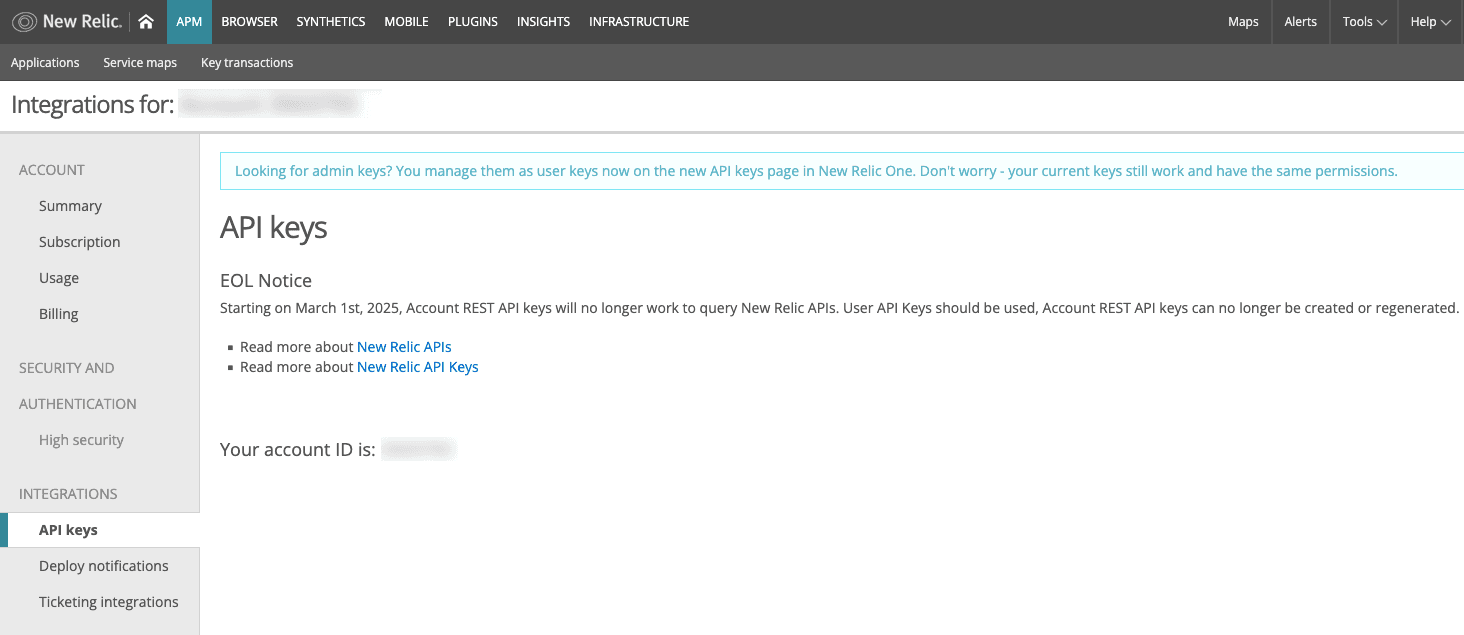
This will load the legacy New Relic UI. The following image is an example of an account that does not have a REST API key associated with it.

Example New Relic integrations API keys page without any keys

  1. If a key is listed, your account uses a REST API key. If no key appears, your account is unaffected.

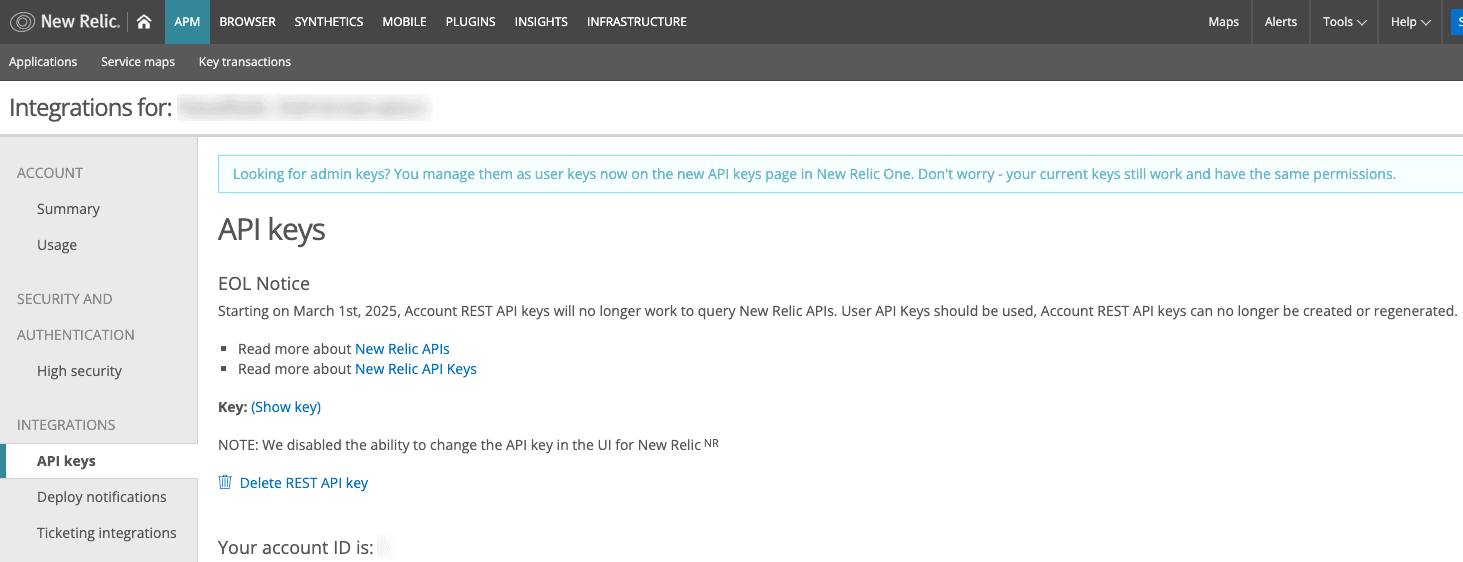
The following image is an example of an account that has a REST API key associated with it. Note that when present, you have options to show the key (which will show the first few characters, not the entire key) and delete it.

Example New Relic integrations API keys page with keys

Tip: REST API keys start with the prefix NRAA or a random combination of letters and numbers.

What to do if you have a REST API key

  1. Create a new user API key — this can be done in the New Relic UI or via NerdGraph.
  2. Replace the old REST API key with the new user API key in your environment.

What happens if you don’t update your keys by March 3rd?

If you don’t replace the old keys by the deadline, any workflows relying on these keys will stop functioning as intended. Generating a new key and replacing the old key will restore functionality.

April 17, 2024

Pantheon is updating our platform access control, requiring the use of SSH keys starting April 30, 2024. Connecting to and interacting with remote Pantheon environments via your Pantheon dashboard credentials will be disabled.

You'll still login to the Pantheon dashboard in the browser with your username/password or Single Sign-On, but connecting to and interacting with a given Pantheon site environment will require an SSH key.

This applies when connecting to Pantheon containers from the terminal (Git, SFTP, rsync, Drush, WP-CLI) as well as local applications like SFTP clients (Filezilla and Cyberduck).

We are making this change to maintain a secure and reliable platform. Learn how to configure your SFTP client with SSH keys in our documentation.

July 1, 2023

In Pantheon's continual efforts to stay up to date with modern web security standards, Pantheon is removing support for a certain set of cipher suites for TLS 1.2. By removing support for specific TLS 1.2 ciphers, Pantheon is enhancing overall platform security. This change ensures that the websites hosted on Pantheon will only use stronger and more secure encryption protocols, which helps protect sensitive information transmitted between users and the websites.

The following obsolete TLS 1.2 ciphers have known vulnerabilities and have been removed:

  • TLS_ECDHE_RSA_WITH_AES_128_CBC_SHA
  • TLS_ECDHE_RSA_WITH_AES_128_CBC_SHA256
  • TLS_ECDHE_RSA_WITH_AES_256_CBC_SHA
  • TLS_ECDHE_RSA_WITH_AES_256_CBC_SHA384
  • TLS_RSA_WITH_AES_128_CBC_SHA
  • TLS_RSA_WITH_AES_128_GCM_SHA256
  • TLS_RSA_WITH_AES_256_CBC_SHA

Pantheon has proactively identified and communicated with affected customers. No action is required at this time, but if you have any questions/concerns, please feel free to reach out to your Account Team at Pantheon or to Pantheon Support via a ticket or chat.

January 1, 2022

As part of our end-of-life plan to retire the Legacy Edge, CNAMEs edge.live.getpantheon.com and styx-01.pantheon.io now point to Global CDN.  This change allows for the transition of sites to Global CDN with minimal interruption. Permanent shutdown happens on February 1, 2022.

February 1, 2018

On March 5th, the cost for legacy load balancers increased from $30/month to $60/month. To avoid increased charges, upgrade to the Global CDN, which includes free, automated HTTPS, by updating DNS records.

July 1, 2016

In keeping with the recommendations of PCI DSS, we no longer support TLS 1.0 for customer sites. Older browsers and mobile devices that do not support TLS 1.1 and 1.2 will likely experience problems and security vulnerabilities. If you need to continue support for TLS 1.0, you can do so with Cloudflare. For details, see Cloudflare's documentation.

February 1, 2016

On February 24th 2016, Drupal 6 will no longer be supported by the Drupal community. Read more about it in Drew Gorton’s blog post.

April 1, 2015

in place of the campaign attributes in the original URL. Now you will no longer experience PANTHEON_STRIPPED normalization in any of your Google Analytics reports.