Pantheon release notes

Your destination for staying informed about our latest innovations and product updates.
Subscribe to RSS feed
New feature
June 22, 2026

Pantheon now supports Bun as a package manager for Next.js sites, alongside npm, yarn, and pnpm. We've also added support for Node.js 26 (LTS).

Bun support

To use Bun, add a bun.lock file to your repository. Pantheon automatically detects the lock file and uses Bun to install your dependencies during the build process.

You can specify a Bun version in the engines.bun or packageManager field of your package.json. If no version is specified, Pantheon defaults to the latest stable release.

Node.js 26 support

Node.js 26 is now available as an LTS runtime for Next.js sites. Set the engines.node field in your package.json to use it:

Node.js 20 removed

Node.js 20 has reached end of life and is no longer available as a runtime. Sites using Node.js 20 must upgrade to Node.js 22 or later.

For more details about Next.js on Pantheon, see our Next.js documentation.

June 2, 2026

Customer Scheduled Jobs is now available to all Pantheon customers. The feature allows you to schedule automated cron jobs tailored to your site's needs — set the frequency (hourly, daily, weekly, or monthly) and the actions to perform, and Pantheon handles execution automatically. Each site has a daily budget of 300 minutes for running jobs.

Previously limited to Early Access participants, the feature is now open to everyone with no enrollment required.

What's changed

  • Customer Scheduled Jobs is now available on all eligible sites without Early Access enrollment.
  • The Terminus Scheduled Jobs Plugin can be installed and configured on any site.

No action required

If you're already using Customer Scheduled Jobs, your configuration continues to work. New users can install the Terminus plugin and start scheduling jobs immediately.

More information

For setup instructions and usage details, see the Customer Scheduled Cron Jobs documentation.

June 1, 2026

We're introducing a User Agent Parser to the site metrics traffic tables to make traffic analysis faster and more intuitive.

Clicking View details next to any user agent now opens a modal that cleanly translates the raw string into readable components, including:

  • Browser (Name & Version)
  • Operating System (Name & Version)
  • Device (Model, Type, & Vendor)
  • CPU Architecture
  • Rendering Engine

This update allows you to quickly identify specific traffic sources, browsers, and devices at a glance, while still preserving the exact raw string for your records and security rules.

User Agent Parser modal showing parsed browser, OS, device, CPU, and engine details

May 12, 2026

Pantheon Search with Apache Solr 9.10.0 support for Drupal 7 is available as a beta release for testing on Multidev environments. Do not deploy Solr 9 changes to Dev, Test, or Live. At GA, the updated module will be available as a one-click upstream update.

This extends the Solr 9 beta support previously announced for Drupal 10 and 11.

For setup instructions, required module versions, upgrading from Solr 3, and custom config details, see Using Solr on Drupal 7.

What about Solr 3?

Solr 3 remains supported for Drupal 7 sites during the Beta period. Solr 3 will be removed on February 9, 2027. Sites using Solr 3 should plan to upgrade to Solr 9.

Solr 3 is no longer supported for Drupal 9.4+ as of December 9, 2025. Those sites must use Solr 8 or above.

April 30, 2026

Sites with Multizone Failover enabled are now eligible for the Global CDN (GCDN) Beta. Previously, Multizone Failover sites were excluded from the Beta — that restriction has been removed.

What's changed

  • Multizone Failover is no longer listed as an excluded configuration for the GCDN Beta.
  • Eligible Multizone Failover sites will see the GCDN Beta banner in the Pantheon site dashboard.

No action is required. If you operate a Multizone Failover site, simply look for the GCDN Beta banner on your site dashboard and follow the guided steps when you're ready to migrate.

More information

For full details on the GCDN Beta, see the GCDN Beta documentation.

April 21, 2026

Pantheon Search now supports Apache Solr 9.10.0 as a Beta for Drupal 10 and 11 sites. This is available through search_api_pantheon version 8.5.0-beta1, which supports both Solr 8 and Solr 9.

What's new?

  • Added Solr 9 support.
  • Solr 9 brings improved security defaults, the unified highlighter, and other enhancements. See the major changes in Solr 9 for details.
  • Bumped Search API Solr version requirement to 4.3.x.

Getting started with Solr 9 (Beta)

Upgrading from Solr 8 to Solr 9

  1. Update the module:

    Commit and deploy the changes to your Pantheon environment.

  2. Update your pantheon.yml:

    Commit and deploy the changes to your Pantheon environment.

  3. Clear the cache:

  4. Post the schema for the new Solr version:

  5. Clear the index and reindex content:

  6. Test search functionality thoroughly and report any issues in the drupal.org issue queue.

New installations

To try the Beta with Solr 9 on a new site, set the Solr version in your pantheon.yml and install the module:

For detailed setup steps, see the documentation.

What about Solr 8?

Solr 8 (8.11.4) remains fully supported. Existing Solr 8 sites can update to Search API Pantheon 8.5.x without any configuration changes.

Older Drupal versions

Pantheon Search is no longer supported for Drupal 8-9.3 as of December 2, 2025.

Solr 3 is no longer supported by Drupal 9.4+ as of December 9, 2025. Those sites must use Solr 8 or above.

Feedback and documentation

Bug reports, feature requests, and feedback should be posted in the drupal.org issue queue. For detailed installation and upgrade instructions,Pantheon Search documentation.

April 14, 2026

Support for creating Next.js sites is now generally available to Pantheon customers with Gold, Platinum or Diamond Workspaces. Previously, Next.js was restricted to a private beta program.

Create new site next.js from the Pantheon Workspace

Hosting for Next.js sites can be purchased at the same plan levels and pricing as WordPress and Drupal sites. Teams running a decoupled architecture in which Next.js reads content from a CMS on Pantheon must purchase two separate plans, though decoupling may allow WordPress or Drupal to run at a smaller plan level.

Since the beginning of our private beta program last November we have added many enhancements including:

For more perspective on this change to general availability, see the Pantheon blog. To learn how to run Next.js on Pantheon, read our documentation.

April 14, 2026

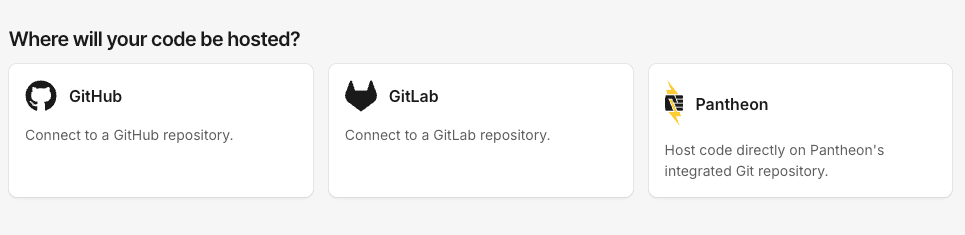
Support for creating Drupal and WordPress sites using an external repository on GitHub is now generally available to Pantheon customers with Gold, Platinum or Diamond Workspaces. Previously, this capability was restricted to a private beta program; now, it is included as part of the recent Terminus 4.2.0 Release.

Sites created on an external GitHub repository utilize a GitHub Application that moves code to Pantheon Multidev environments and the Dev environment when correspond to changes are made to on that repository.

Diagram of the GitHub Application process of deploying a PR to a Pantheon Multidev

This Application is intended for teams that want the simplest possible tool for achieving the above workflow. Once it is turned on, no additional configuration is necessary.

Pantheon continues to offer a GitHub Action that performs a similar function for teams who want to make customization to their workflows and treat the deployment of code as one step in a larger Continuous Integration workflow.

See our Github application documentation page for more instruction on usage and a breakdown of limitations.